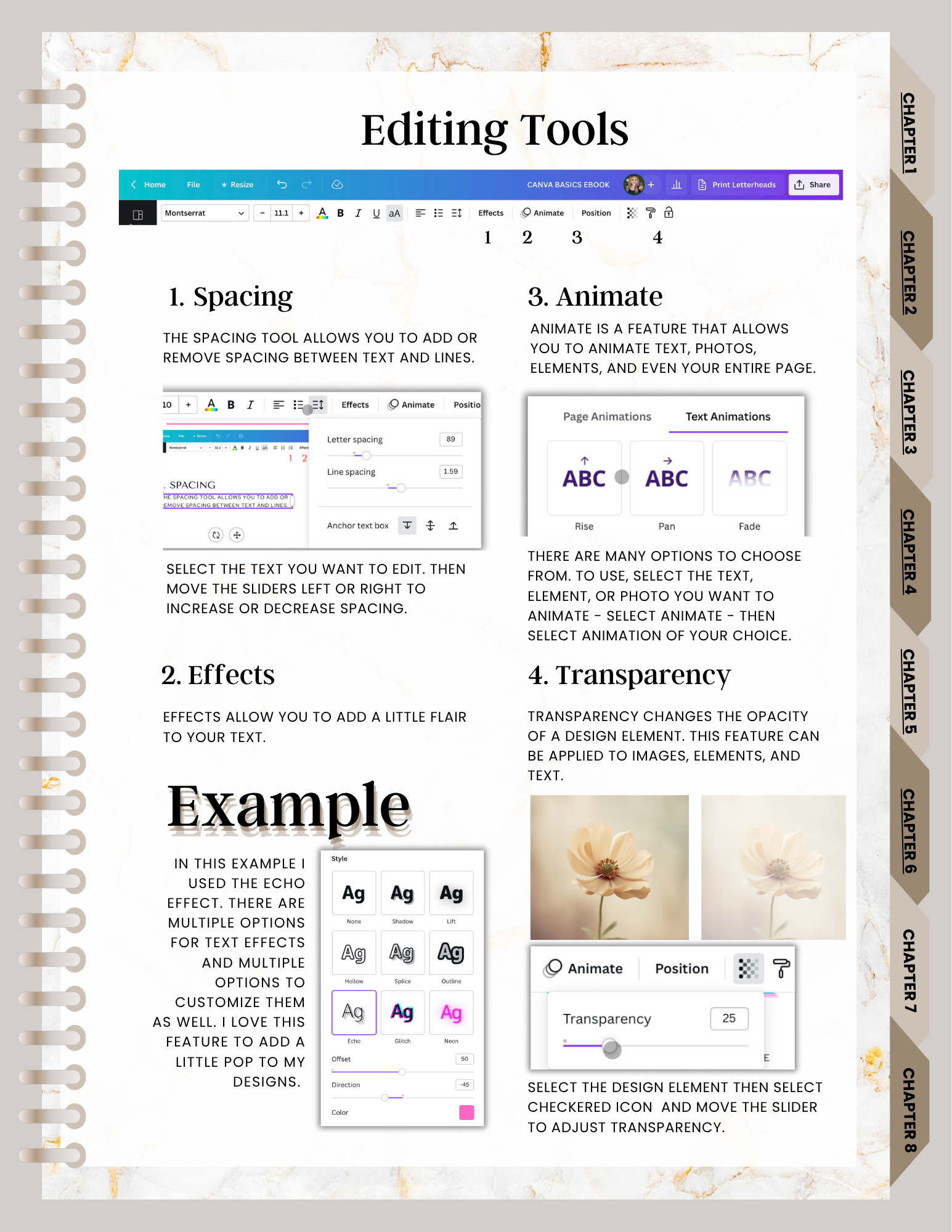
This section of the course introduces text and layout tools that help beginners make designs feel clearer, more organized, and easier to adjust.
The preview here covers spacing, effects, animation, transparency, locking elements, the Position tool, and simple font-pairing ideas. It is intended as a beginner-level overview rather than advanced typography or professional graphic-design training.
This guide previews lessons 8-10 from the full Canva Crash Course for Beginners.
Course preview
Beginners are introduced to tools that can help text and objects feel more balanced and easier to manage inside a design.
What This Portion Covers
How spacing and positioning can make a design look more organized.
A beginner overview of text effects, animation, and transparency.
Why locking elements may help prevent accidental movement.
A simple introduction to beginner-friendly font pairing.
Why Beginners Benefit
When text, images, and shapes start to crowd a page, small layout decisions matter. This section helps beginners understand how to keep elements in place, line them up more intentionally, and experiment with styling choices without overcomplicating the process.
Spacing and position controls can help beginners create layouts that feel less crowded and easier to read.
Add Light Styling
Effects, animation, and transparency are introduced as beginner tools for experimenting with how text and elements appear on screen.
Pair Fonts More Comfortably
The course includes beginner-friendly guidance on combining fonts so your designs feel more cohesive without promising advanced typography instruction.